If our team finds something to fix during review, your release moves to Revision requested and we email you. The release page shows our notes in a Revision requested box at the top. Make the changes in the builder and submit it again.

Find the notes

  1. Open Releases and click the release marked Revision requested. Home also shows it in the Updates card.
  2. Read the Revision requested box at the top of the page. It shows the date it was reviewed and lists each thing that needs to change.
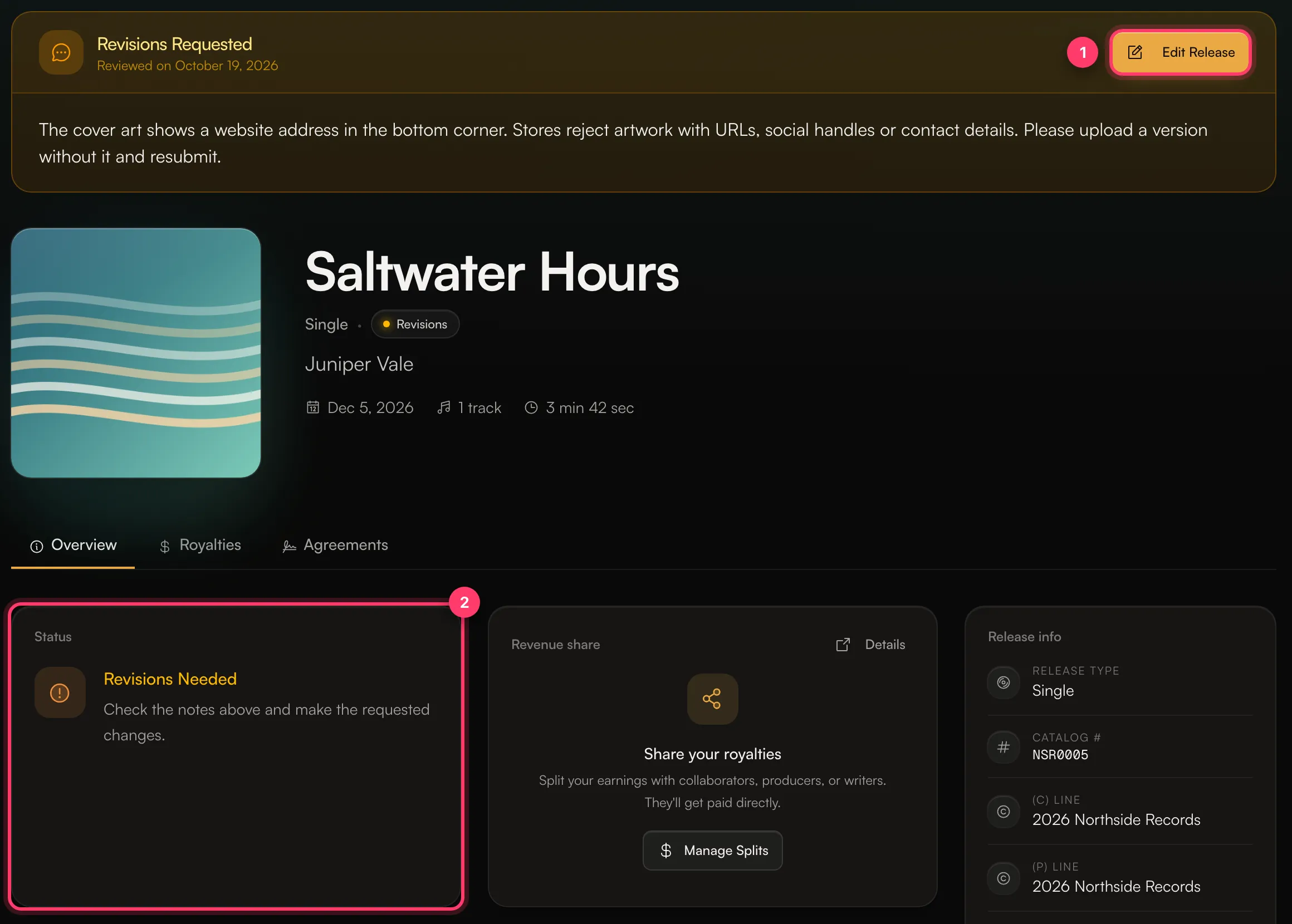
A release with a Revisions Requested box, the Edit Release button and the Revisions Needed status card

Make the changes and resubmit

  1. Click Edit release in the Revision requested box, or click Fix next to one item to go straight to that field in the builder.
  2. Make each change the notes ask for.
  3. Scroll to Review & submit, check that Preflight passes, click Submit for review, then Confirm and submit.
The release goes back to In review. Review usually takes 1–2 business days.

Common reasons we ask for changes

  • Artwork that shows a website address, social handle or contact details. Stores reject these.
  • Titles that don’t follow the rules: a remix or feature that isn’t in brackets in the title, or version information in the wrong field. See Titles, versions and featured artists.
  • Credits that are missing or incomplete, such as a writer without a legal first and last name.
  • Artist profiles linked to the wrong Spotify or Apple Music page.
  • Cover songs or samples that aren’t marked as covers or linked to the original.
The notes always say exactly what to change. If you don’t understand a note, ask us.

If the date is close

Fix and resubmit as soon as you can. The release still has to pass review and be delivered before your release date. If you need a new date, change it in the builder while you’re editing.

Common questions

I don’t agree with the change you asked for.

Send us a message from the chat on this page, or email team@ammdistro.com. Your manager can talk it through with you.

What’s the difference between Revision requested and Rejected?

Revision requested means the release can go out once you fix the notes. Rejected means we won’t distribute it. See Why was my release rejected? Related: Release statuses explained · Why was my release rejected? · Check and submit your release · Artwork requirements