
Templates
- Open Releases and click the release.
- Open the Agreements tab.
- Click New agreement and pick a template.
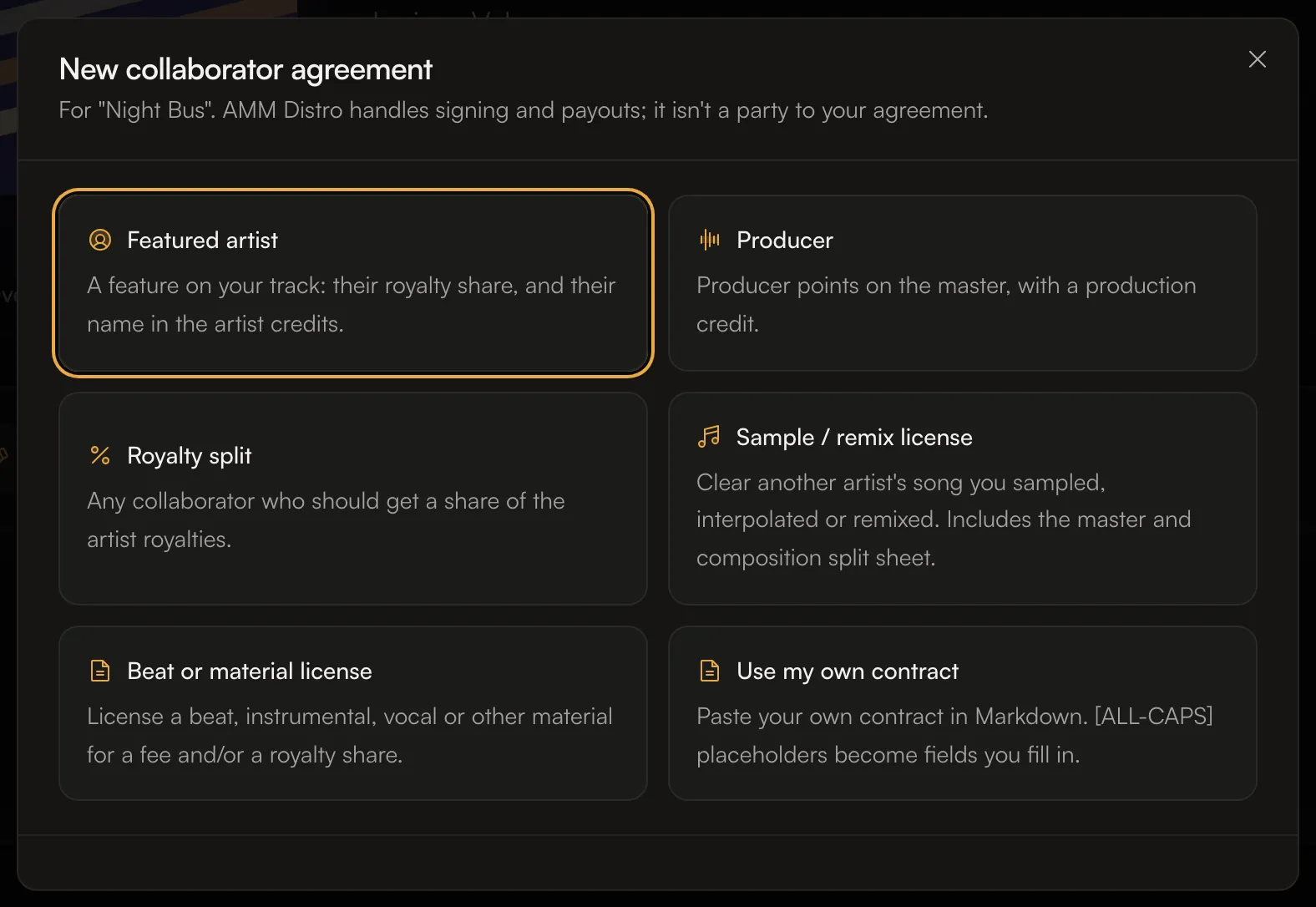
Fill in the agreement
The fields depend on the template. Most include:- Their details: name, Email (“We send the signing link here.”), role and artist name. Use their legal name if you know it; they confirm it when they sign.
- Royalty share: their percentage of your artist royalties, and Applies to: All tracks or the tracks you choose.
- Release credit: Not listed, Featured artist, Primary artist, or They decide later.
- Optional clauses: for example No Content ID or takedown claims, No takedown after release, Hold back their share on a claim, Annual audit right and Keep the money terms confidential. They’re on by default; turn off any your collaborator won’t agree to.
- One-time fee (optional). A fee is paid between you directly, not through AMM Distro.
- Governing law (optional).
Sign and send
- Click Review, sign and send. Read the agreement as your collaborator will see it.
- Sign it. You sign first; then we email them a link to sign.
- You’ll see Agreement sent. The agreement shows Awaiting signature until they sign.
When everyone has signed
- The royalty share becomes a royalty split on the tracks it covers.
- The collaborator still needs to accept the split on AMM Distro to get paid. See Accept a royalty split invitation.
- If the agreement gives them a release credit, they can be added to the tracks while the release can still be edited.
- You can download the signed agreement as a PDF.
Common questions
Is AMM Distro part of the agreement?
No. The agreement is between you and your collaborator. AMM Distro handles the signing and pays their royalty share.Can I use my own contract?
Yes. Choose Use my own contract and paste it in Markdown. Each[ALL-CAPS] placeholder becomes a field. Use [ROYALTY SHARE] for the share; it becomes their split once everyone signs.