
Before you start
- Have the Spotify link to the album, single or artist you want to move.
- Have the final audio files (WAV or FLAC) for every track. The tool brings across the details, not the audio.
- Don’t remove anything from your old distributor yet. Talk to your manager or to us first about when to do that.
Move one release
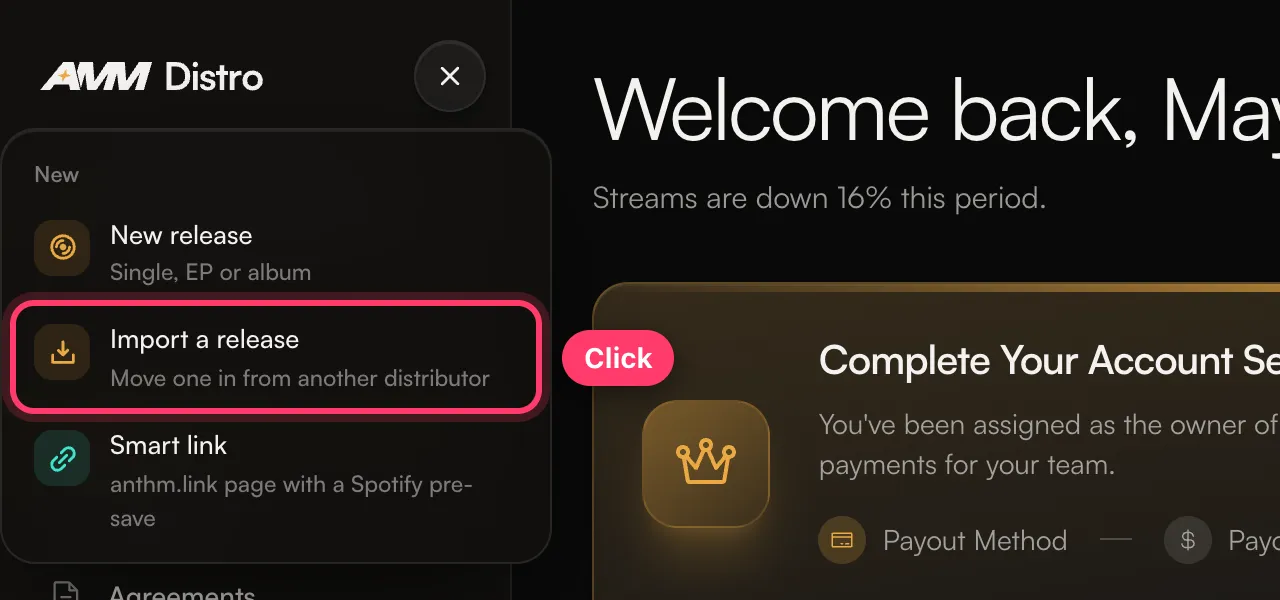
- Click + at the top of the left menu and choose Import a release. (You can also open Tools → Catalog Transfer.)
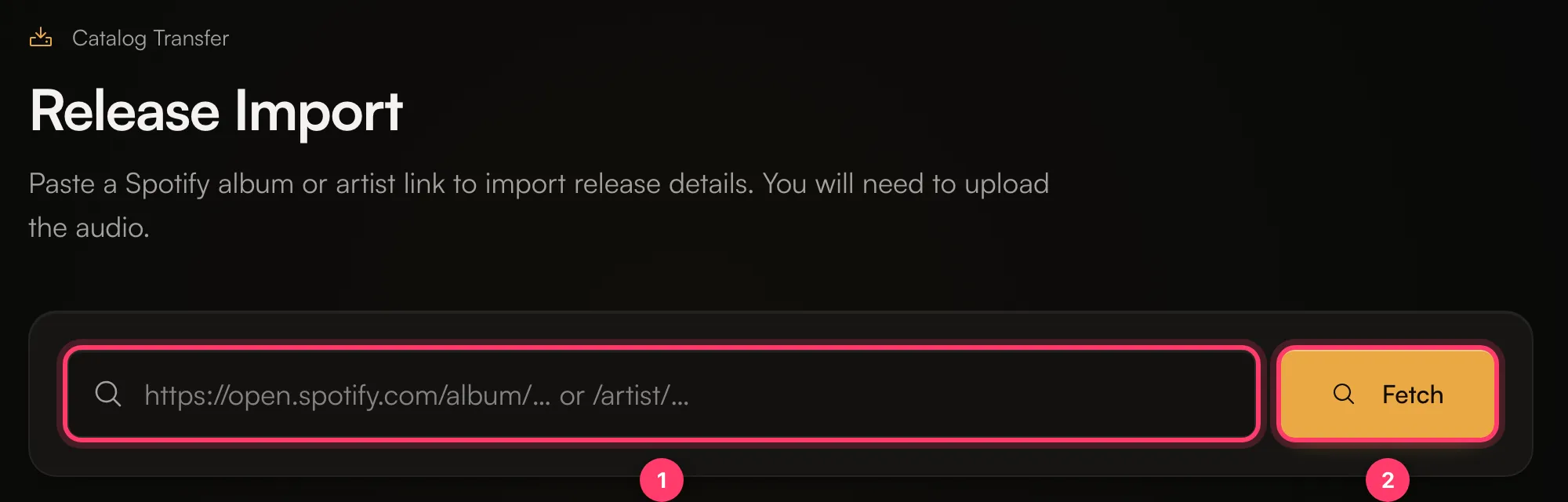
- Paste the Spotify album link and click Fetch.
- Artists: check each artist’s links and confirm their legal first and last name. Every main artist needs a Spotify profile and a legal name before you can continue. Click Continue.
- Credits: fill in any songwriter, producer or performer credits that are missing. Click Continue.
- Verify metadata: check the title, UPC, Original release date, Record label / copyright and each track’s title and ISRC. Keep the existing ISRCs and UPC unless they’re wrong.
- Click Import as draft.
Move several releases from one artist
- Paste a Spotify artist link instead of an album link and click Fetch.
- The Artist catalog page lists the artist’s releases grouped by the distributor they’re currently with.
- Finish the main artist’s details (Spotify profile and legal name).
- Tick a whole distributor group or individual releases, then click Transfer N releases.
What carries over
- ISRCs for each track, so streams stay linked to the same recordings.
- UPC for the release.
- Original release date.
- Titles, artists, credits that were found, and the label line.
- Each track is marked Previously released.