
What each role can do
The person who created the account is its owner. Only Admins can invite people, change roles or remove someone. Only Admins can request a takedown or an edit to a release that’s already in stores.
Invite someone
- Go to Settings and open Team members.
- Click Invite member.
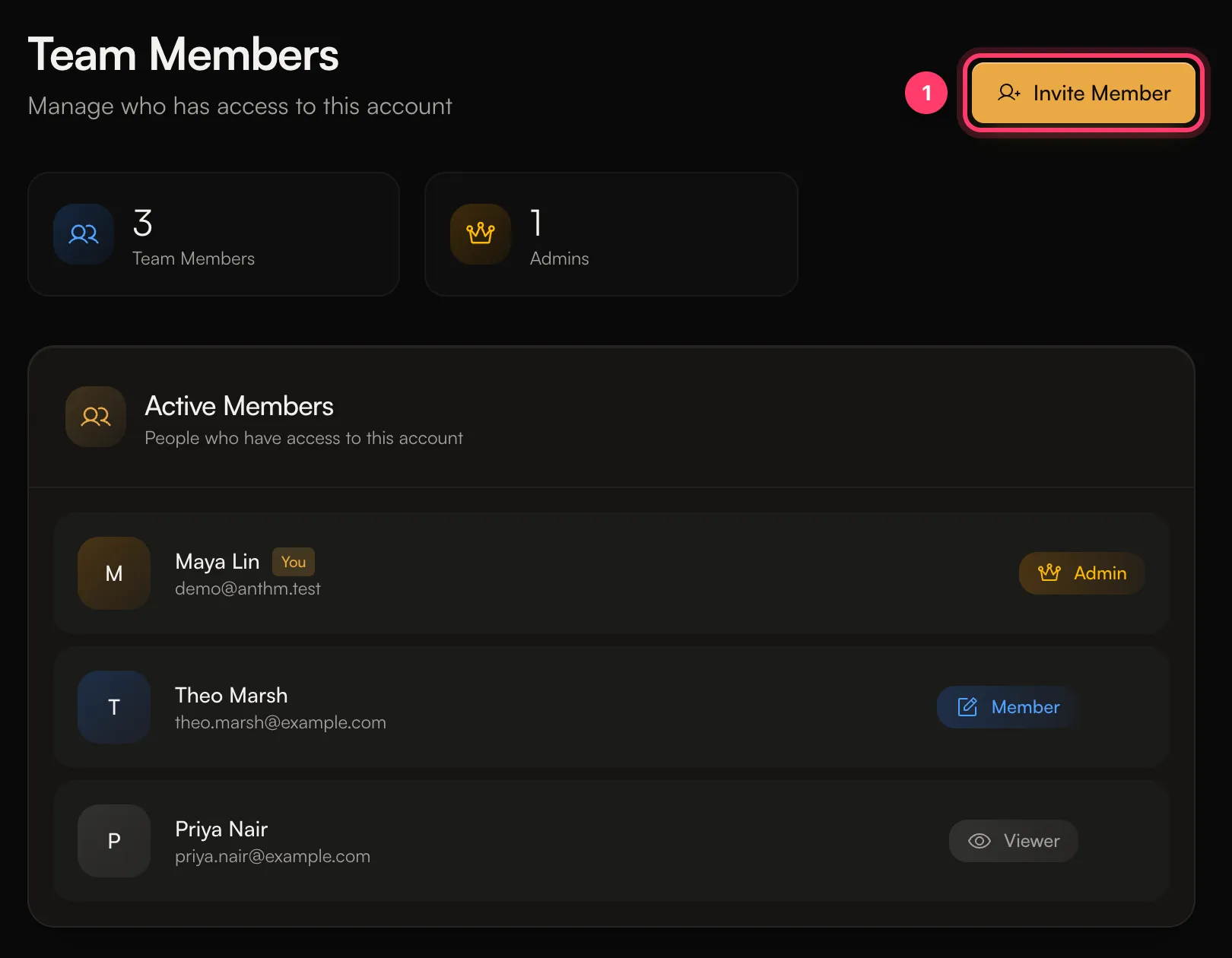
- Enter their Email Address. Name (Optional) is only for your reference.
- Pick a Role: Admin, Member or Viewer.
- Click Send Invitation.
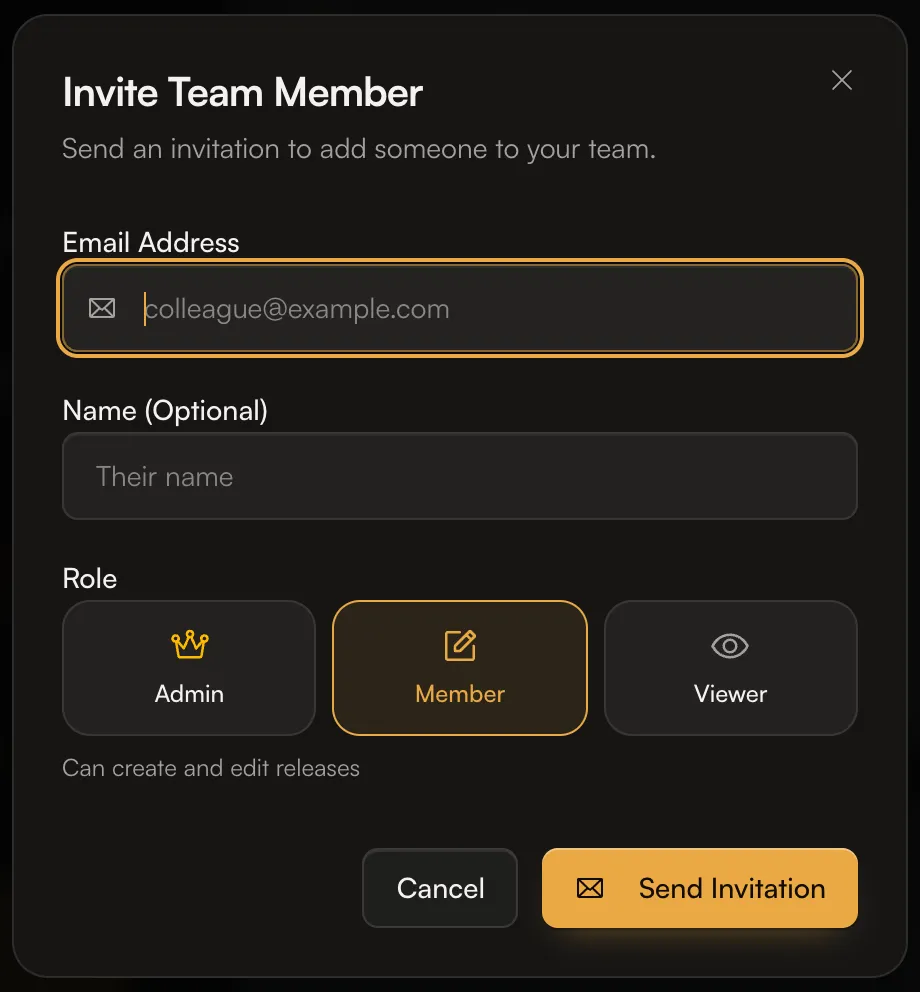 We email them a link to accept. If they don’t have an AMM Distro login yet, the link creates one. They need to sign in with the same email address you invited.
Invitations expire after 7 days. If someone misses it, invite them again.
Change a role or remove someone
- On Team members, click the … menu next to the person.
- Under Change Role, pick Admin, Member or Viewer. The change applies straight away.
- To take away their access, choose Remove from team and confirm.
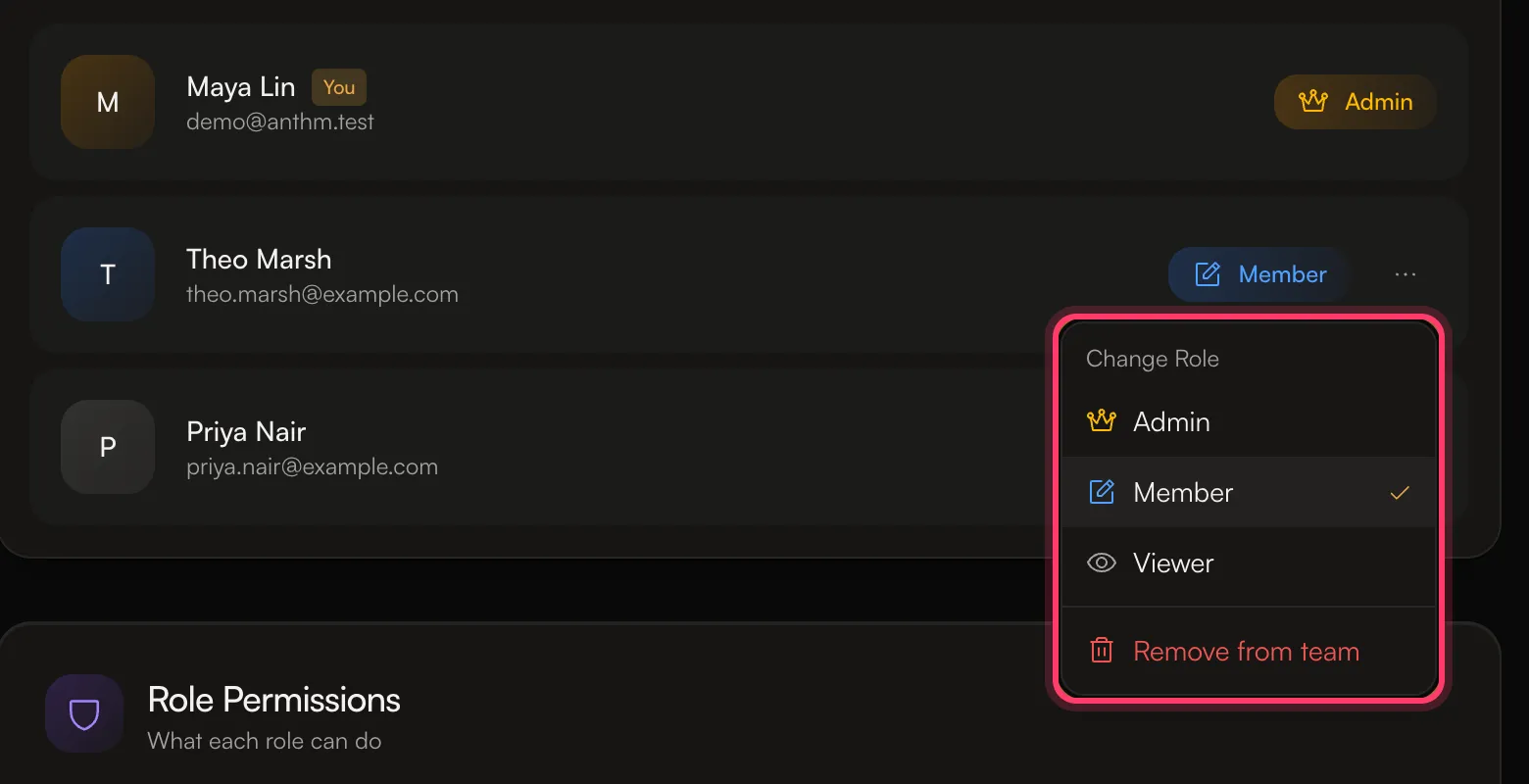 A removed person loses access to this account immediately. You can invite them again later. You can’t remove yourself.