
Switch accounts on the web
- Click the account card at the top of the sidebar. It shows the name of the account you’re in.
- Under Accounts, pick the account you want.
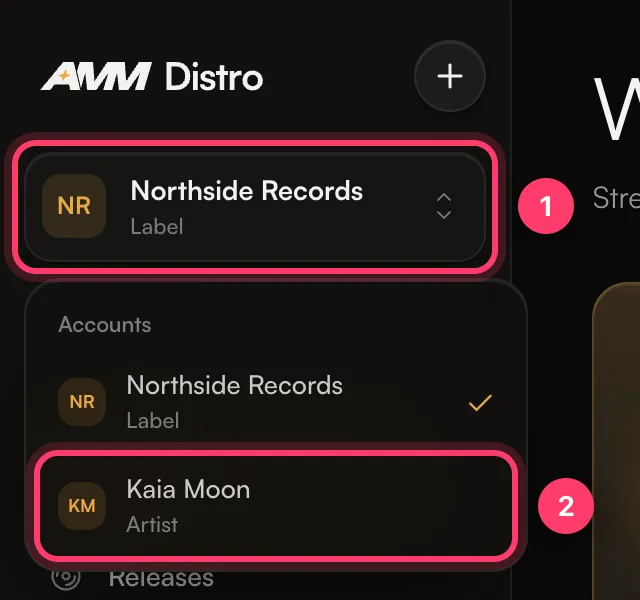 A short message confirms the switch (“Switched to …”). You stay on the same page if it makes sense for the new account. If you were on a page that belongs to the previous account, such as a single release, you’re taken to the matching list instead.
Under each account name you’ll see its type, such as Artist or Label. An artist account that releases under a label shows Sub-account · under and the label’s name.