
Sign in
Use the same email address you use on ammdistro.com. There’s no password.- Tap Continue with AMM.
- Sign in on the page that opens, with a passkey or an email link, the same way as on the web. See Sign in to AMM Distro.
What you can do in the app
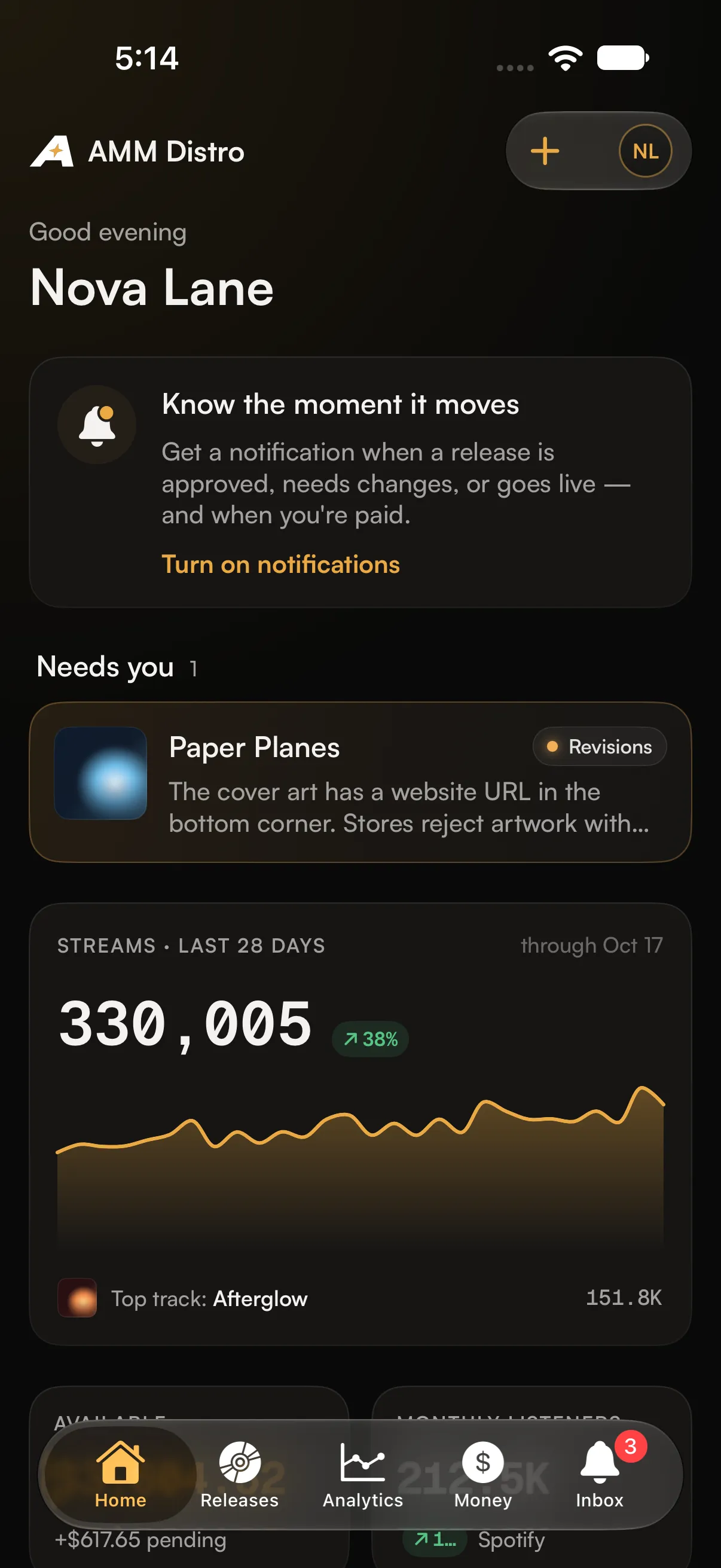
- Home: the releases that need you (for example, revisions requested), your streams for the last 28 days, your balance and what’s coming up.
- Releases: every release with its status, filtered by All, Out, In progress and Drafts, plus search. Open a release to see where it is, our review notes, its tracks, stores and streams.
- Analytics: streams from all stores, and Spotify for Artists numbers on their own separate tab. The two are never added together.
- Money: your balance, totals, payout method, earnings by store and recent activity.
- Inbox: your notifications. Mark them read one at a time or all at once.
- Smart links: your release links, ready to copy or share.
- TikTok claims: add a TikTok sound link to a release’s claims. You can also share a sound straight from the TikTok app to AMM Distro, or use the app’s home-screen shortcut.
- Switch accounts: if you belong to more than one account.
What stays on the web
These are done at ammdistro.com, and the app links you there:- Creating, editing or resubmitting a release
- Royalty splits and agreements
- Tax forms and payout setup
- Downloading statements
- Requesting changes to a live release
- Connecting AI assistants