
Make your choice
- Open your release in the builder and scroll to Review & submit.
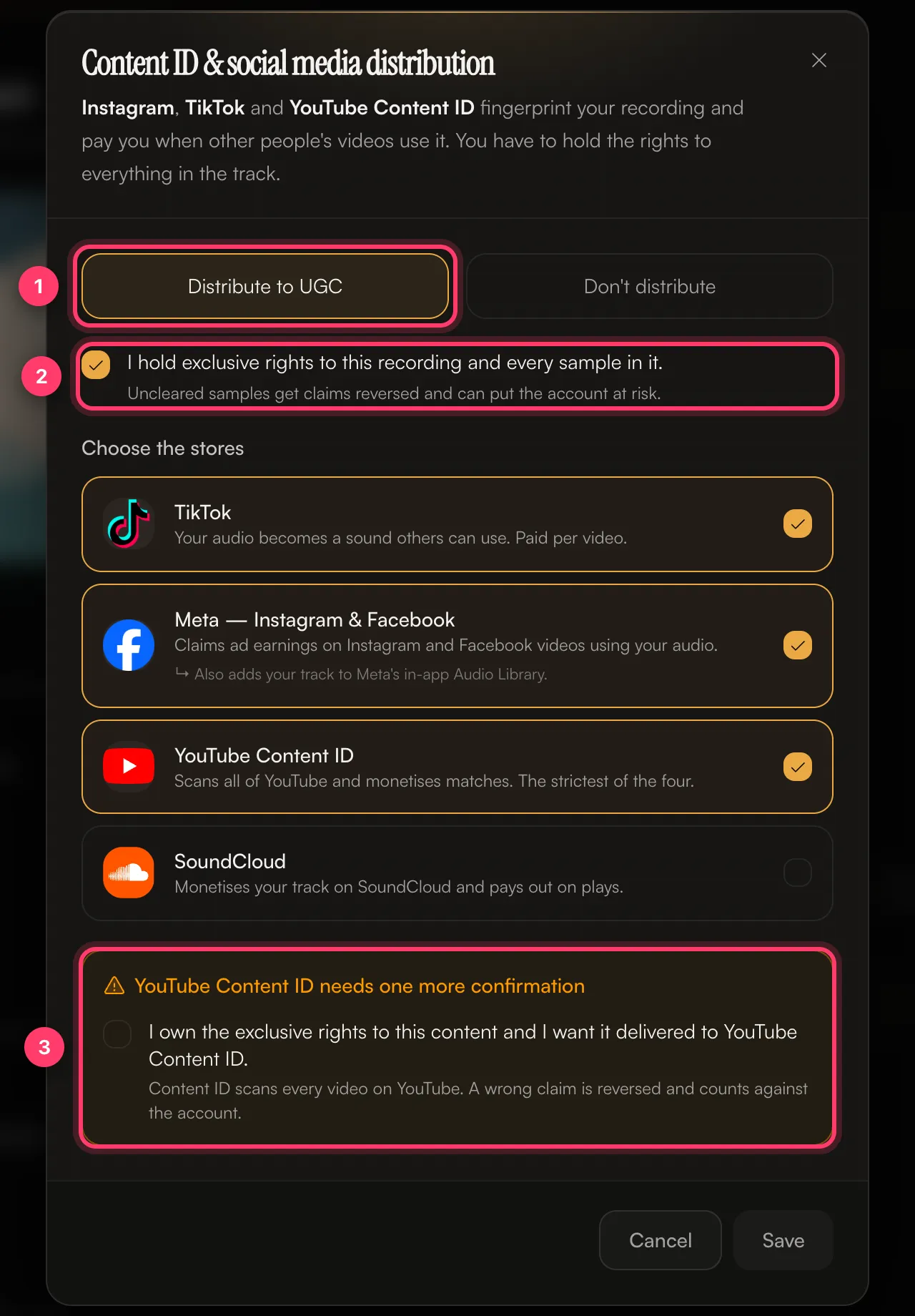
- Click the Content ID & social card. Until you choose, it shows Needs a decision.
- Choose Distribute to UGC or Don’t distribute.
- Tick I hold exclusive rights to this recording and every sample in it.
- Under Choose the stores, tick the platforms you want.
- If you picked YouTube Content ID, tick the extra confirmation: I own the exclusive rights to this content and I want it delivered to YouTube Content ID.
- Click Save.
What each platform does
When not to opt in
Choose Don’t distribute, or leave a platform unticked, if:- The track uses a sample you haven’t cleared, or a beat you licensed without exclusive rights.
- The track is a cover or uses parts of another song you don’t control.
- Someone else already claims this recording on these platforms.
- The recording uses public domain or royalty-free material that other people can also use.