
Which form you need
Where you live doesn’t decide this. US persons complete a W-9 even when living outside the US.
When you need to do it
You don’t need to do anything until your first royalty statement is finalized. After that, the Tax form step in the Getting paid checklist on the Money page asks you to confirm your tax details.Complete your tax form
- On the Money page, click Confirm tax details in the checklist. This opens Settings → Tax Documents.
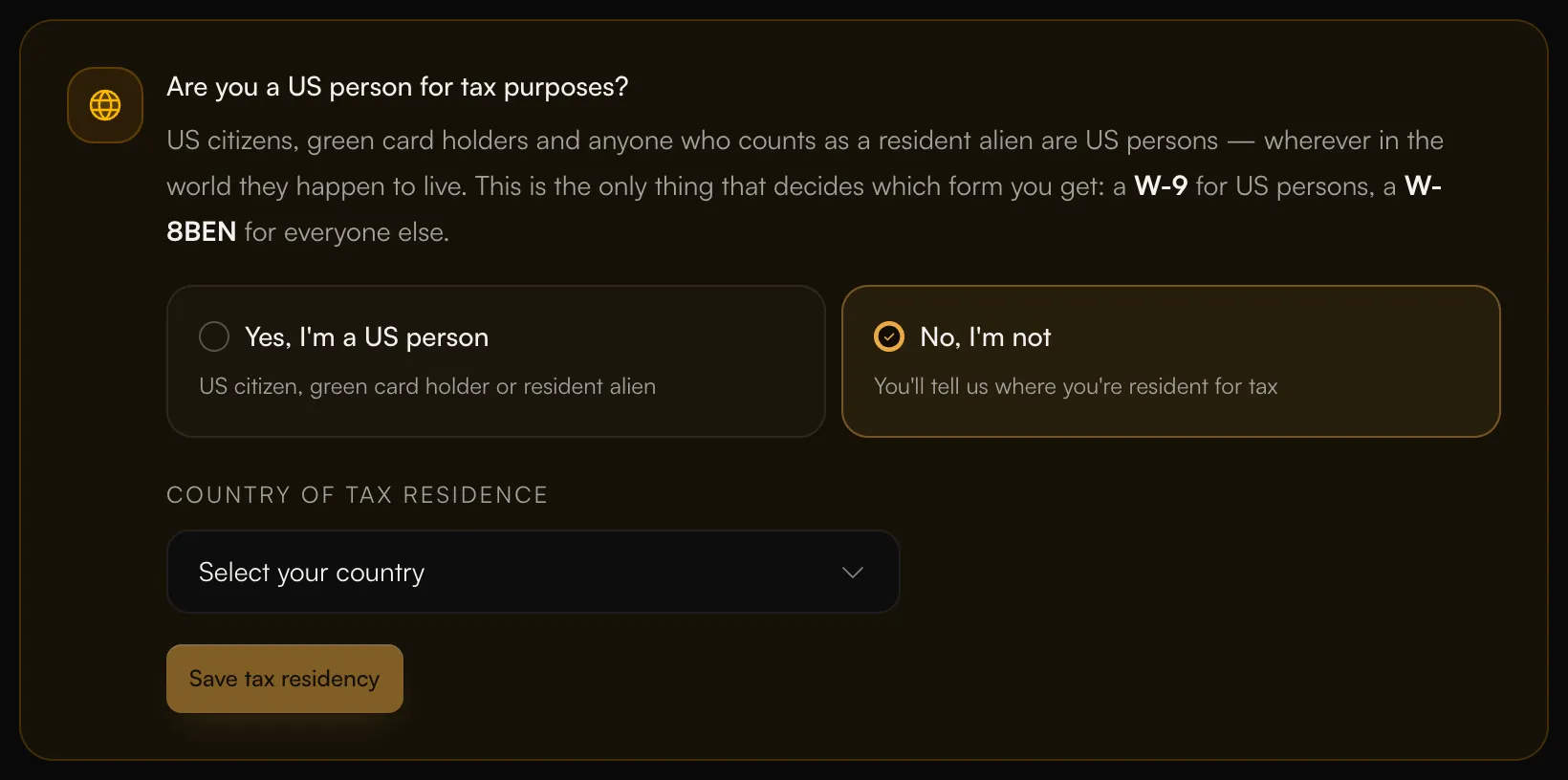
- Answer Are you a US person for tax purposes? with Yes, I’m a US person or No, I’m not.
- If you’re not a US person, choose your Country of tax residence.
- Enter your mailing address and confirm it’s correct.
- Save. We then email you a secure link to your tax form. The checklist says Complete your tax form.
- Open the email and complete the form. If you can’t find it, check your spam folder.
- We review your form. The checklist says “AMM is reviewing your form. You don’t need to do anything.”
- Once it’s approved, the checklist shows W-9 approved or W-8BEN approved.
 If you’ve confirmed your details and still haven’t received the form, click Request tax form on the Tax Documents page.
What we keep
We only keep the last 4 digits of your taxpayer number. Settings → Tax Documents shows what we have on file under What we have on file.Year-end tax forms
Under Year-end forms on the Tax Documents page, choose how you get your forms:- Send electronically: “You’ll get your forms electronically as soon as they’re filed.”
- Switch to paper: “Without electronic consent we mail a paper copy, which arrives later.”