
Pick specific stores
- Open your release in the builder and scroll to Review & submit.
- Click the All stores card.
- Choose Pick stores. (Everywhere sends the release to every store.)
- Use Search stores… to find a store, and click stores to turn them on or off. Select all and Clear change them all at once.
- Click Save.
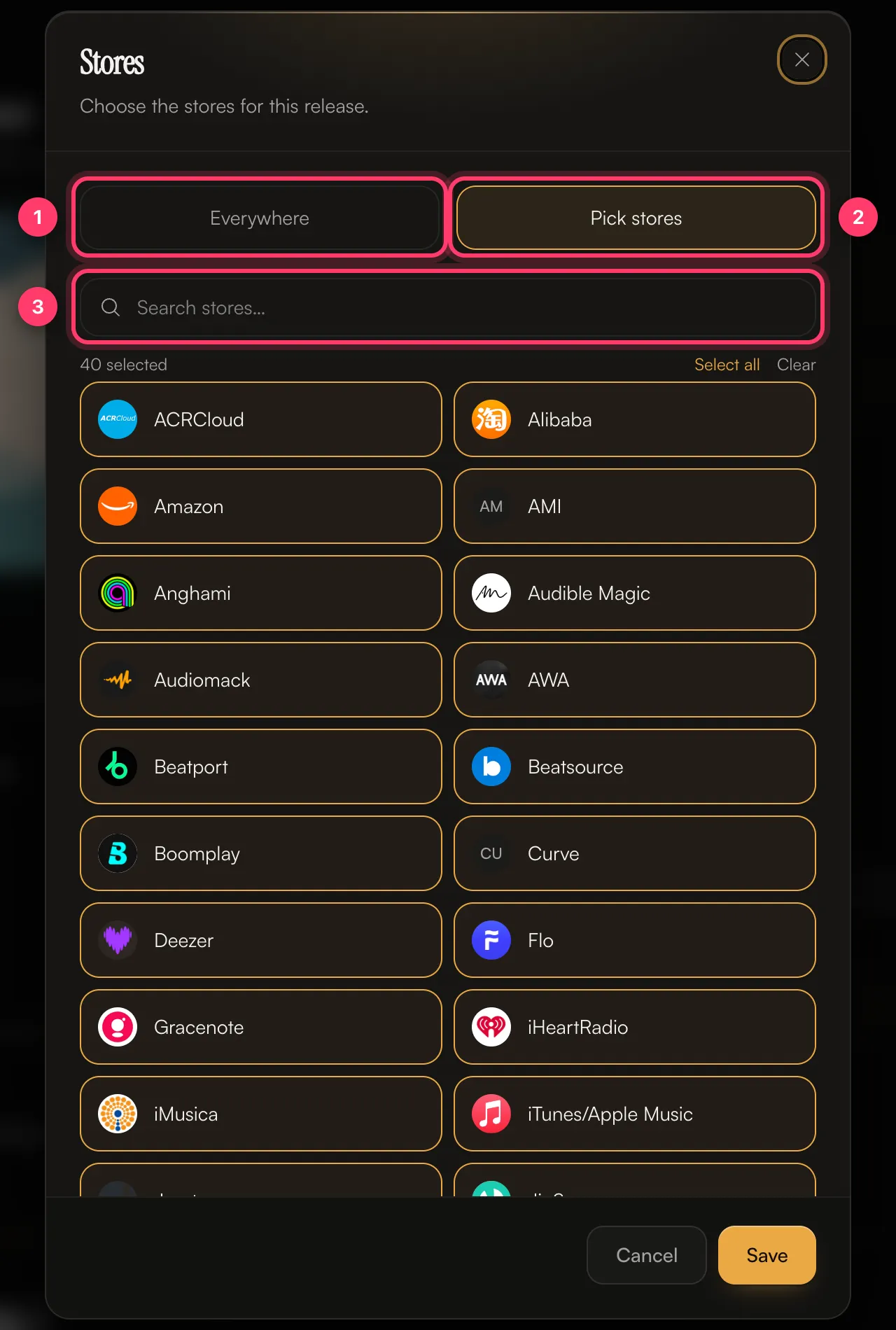 The card then shows how many stores you picked, for example “12 stores – A custom selection.”
TikTok, Instagram, Facebook, YouTube Content ID and SoundCloud monetisation are chosen separately, in Content ID & social. See Content ID and social platforms.
Block or limit countries
- In Review & submit, click the Worldwide card.
- Choose one of:
- Worldwide: every country we deliver to.
- Remove countries: everywhere except the countries you pick.
- Only add countries: nowhere except the countries you pick.
- Search for a country, or use a Quick add group such as European Union, North America, UK & Ireland, DACH, Nordics or Australia & NZ.
- Click Save.
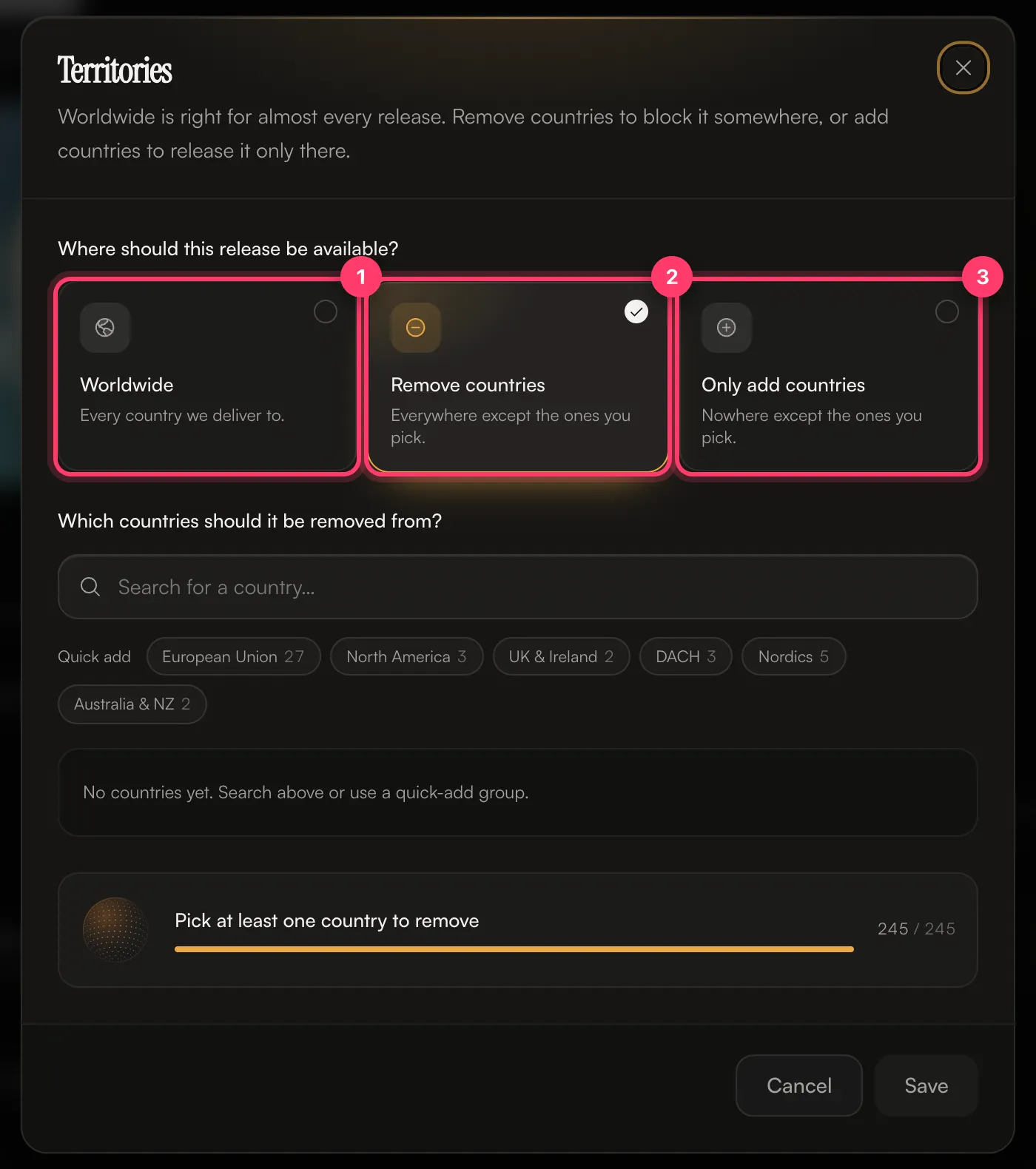 The card then shows, for example, “Delivering everywhere except 3 countries” or “Delivering to 5 countries only”.
When to change these
- Stores: if you have an exclusive deal with a store, or there’s a store you don’t want your music on.
- Countries: if someone else already holds the rights to the song in some countries, or a deal limits where you can release it.