
Where to look
- Open Releases and click the release.
- The Status card on the Overview tab shows the overall status. Click View delivery to jump to the store list.
- Or click the Delivery tab. It appears once the release has been queued for delivery.
Release statuses after approval
The release moves from Delivering to Delivered or Live as soon as the first store has it, so some stores may still be processing it after the status changes.
The Delivery tab
The Platform Delivery Status panel shows how many stores have the release, and a card for each store.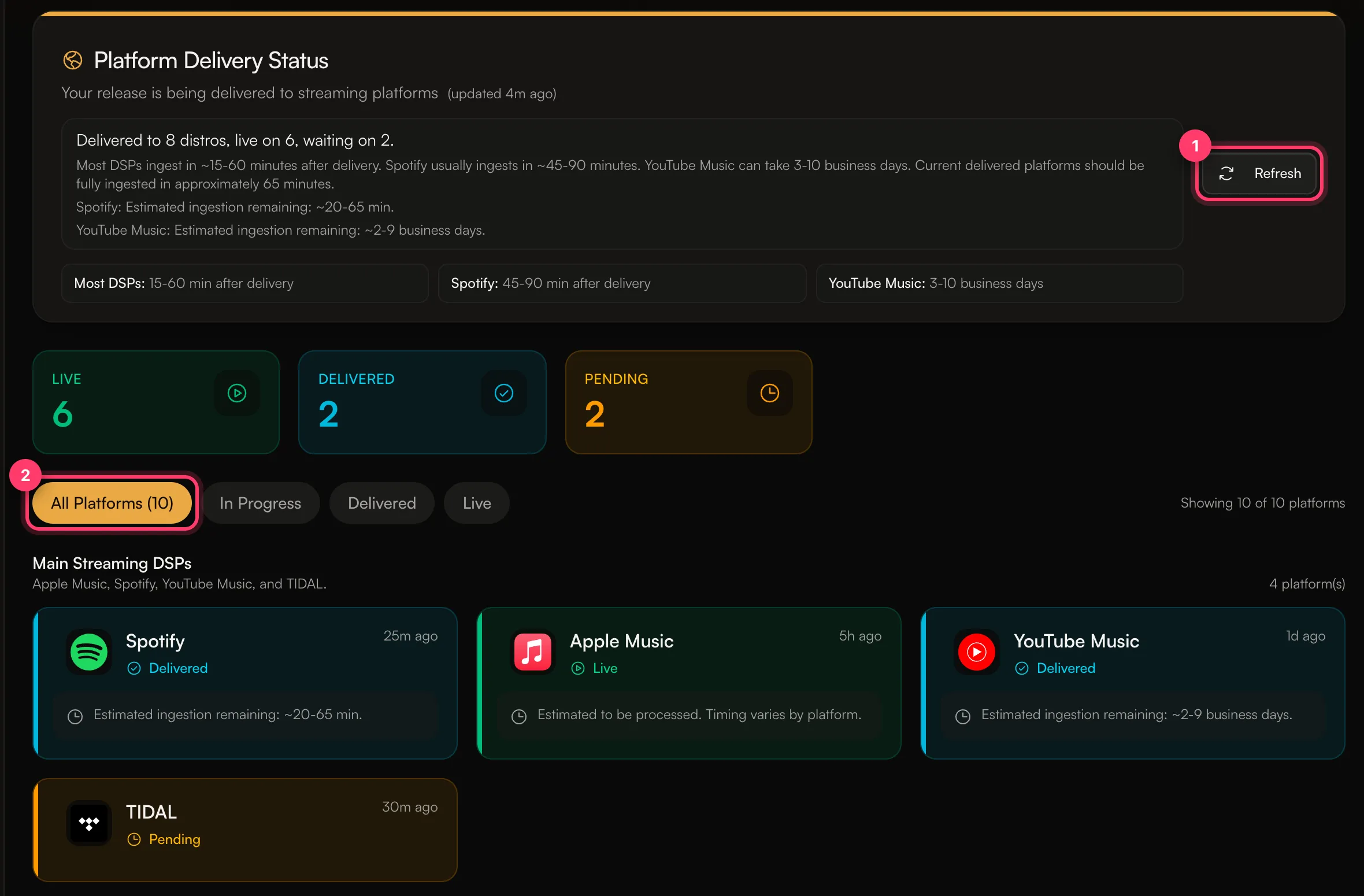
- Live: the store is showing the release to fans.
- Delivered: the store has the release and is processing it, or it goes live on the release date.
- Delivering (or Preparing): the release is on its way to that store.
- Pending: the release hasn’t reached that store yet.
- Issues: something went wrong with that store. We’ll fix it and contact you if we need anything.
How long stores take
The tab shows an estimate for each store. Typical times after delivery:- Most stores: about 15–60 minutes.
- Spotify: up to 24 hours.
- YouTube Music: usually 2–10 minutes.