
Change your display name
- Go to Settings. The first page is Profile.
- Edit Display name. This is how your name appears to your team and collaborators.
- Click Save changes.
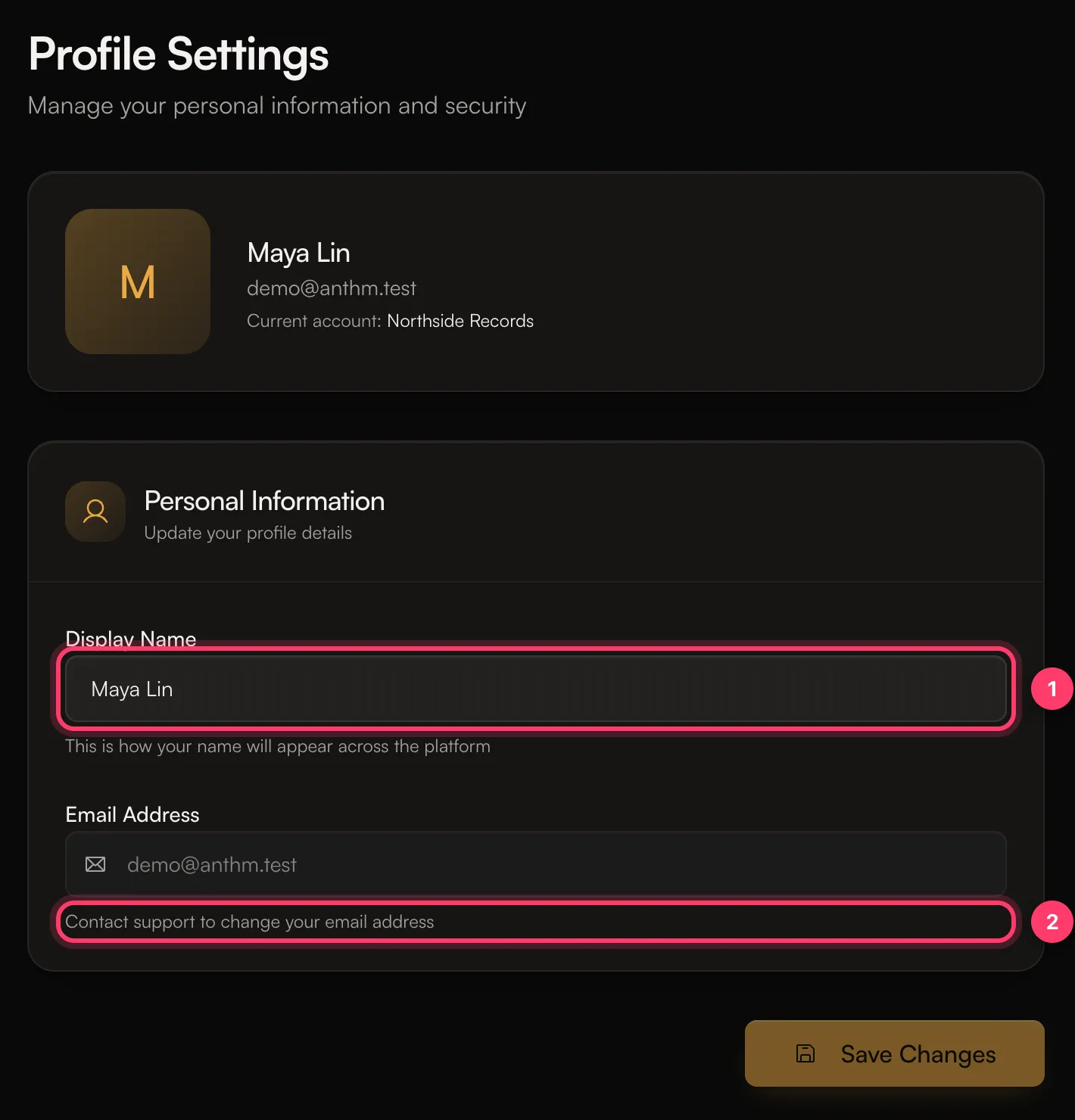 Your display name is your personal name on AMM Distro. It’s not your artist name. To change how an artist is named on releases, see Manage your artist profiles.
Change your email address
The Email address field is greyed out because it’s the address you sign in with. To change it, contact support and tell us the new address. Write from your current email address if you still have access to it.Your team and royalty invitations are tied to an email address. If you change your email, invitations sent to the old address won’t match your new one. Ask the sender to invite the new address.
Choose which emails you get
- Go to Settings → Notifications.
- Turn each type of email on or off:
- Release updates: release approvals, rejections, and changes needed. On by default.
- Royalties: royalty payments and split invitations. On by default.
- Team: team invitations and collaborator activity. On by default.
- Product news: product updates, tips, and industry news. Off by default.
- Click Save changes.
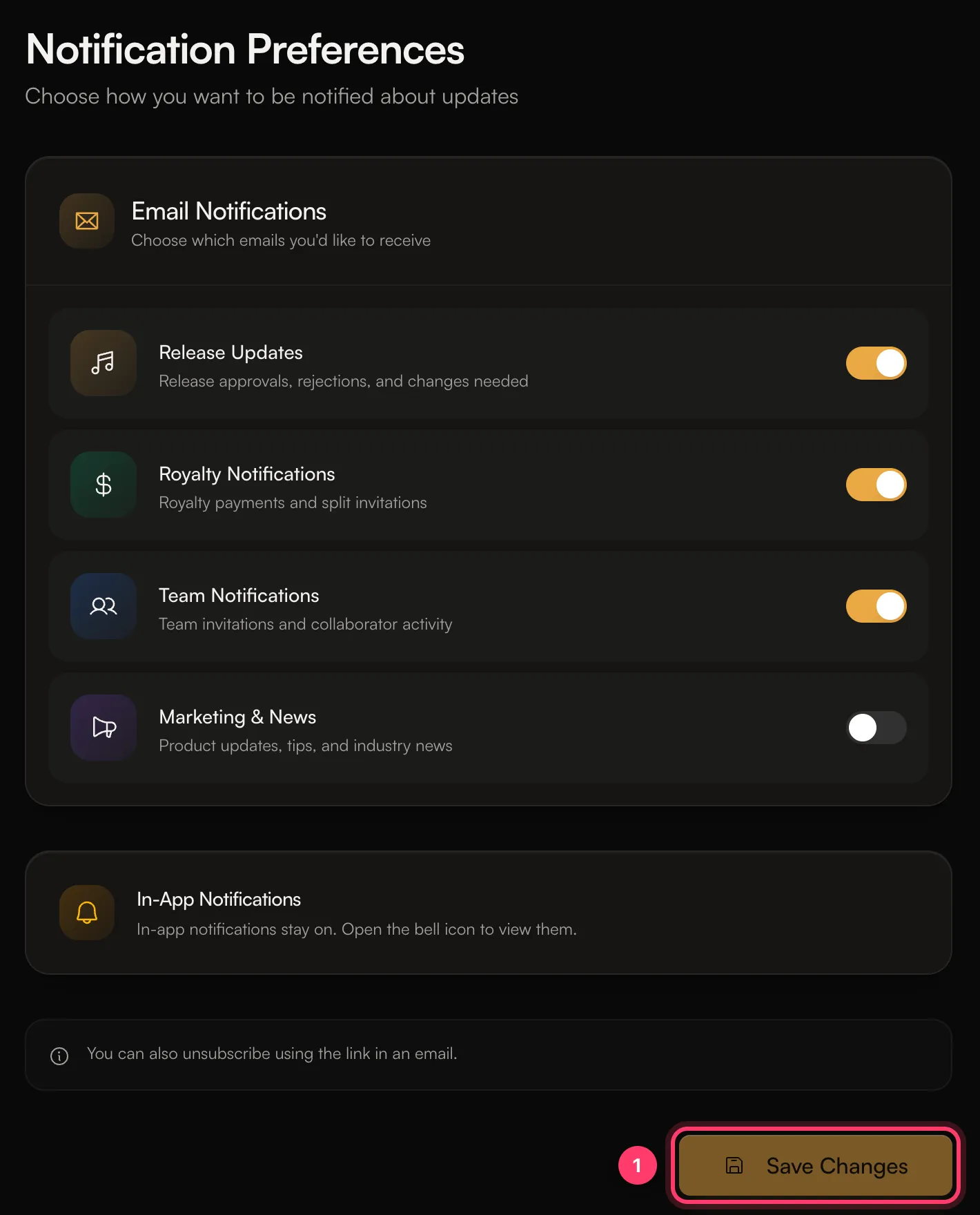 You can also unsubscribe using the link in an email.
These choices are personal to you. They apply to every account you belong to and don’t change what your teammates receive.